
How Azure DevOps Works With Microsoft Azure Cloud
Azure DevOps is a suite of development tools from Microsoft that helps software teams plan work, manage source code, run automated builds, and deploy applications. Many people assume it is just another name for the Azure cloud platform itself. That is a common misconception. Azure DevOps and Microsoft Azure are two separate products that are designed to work together but serve very different purposes. This article explains both products clearly and shows exactly how they connect in a real software delivery workflow.
What Is Azure DevOps and What Does It Include?
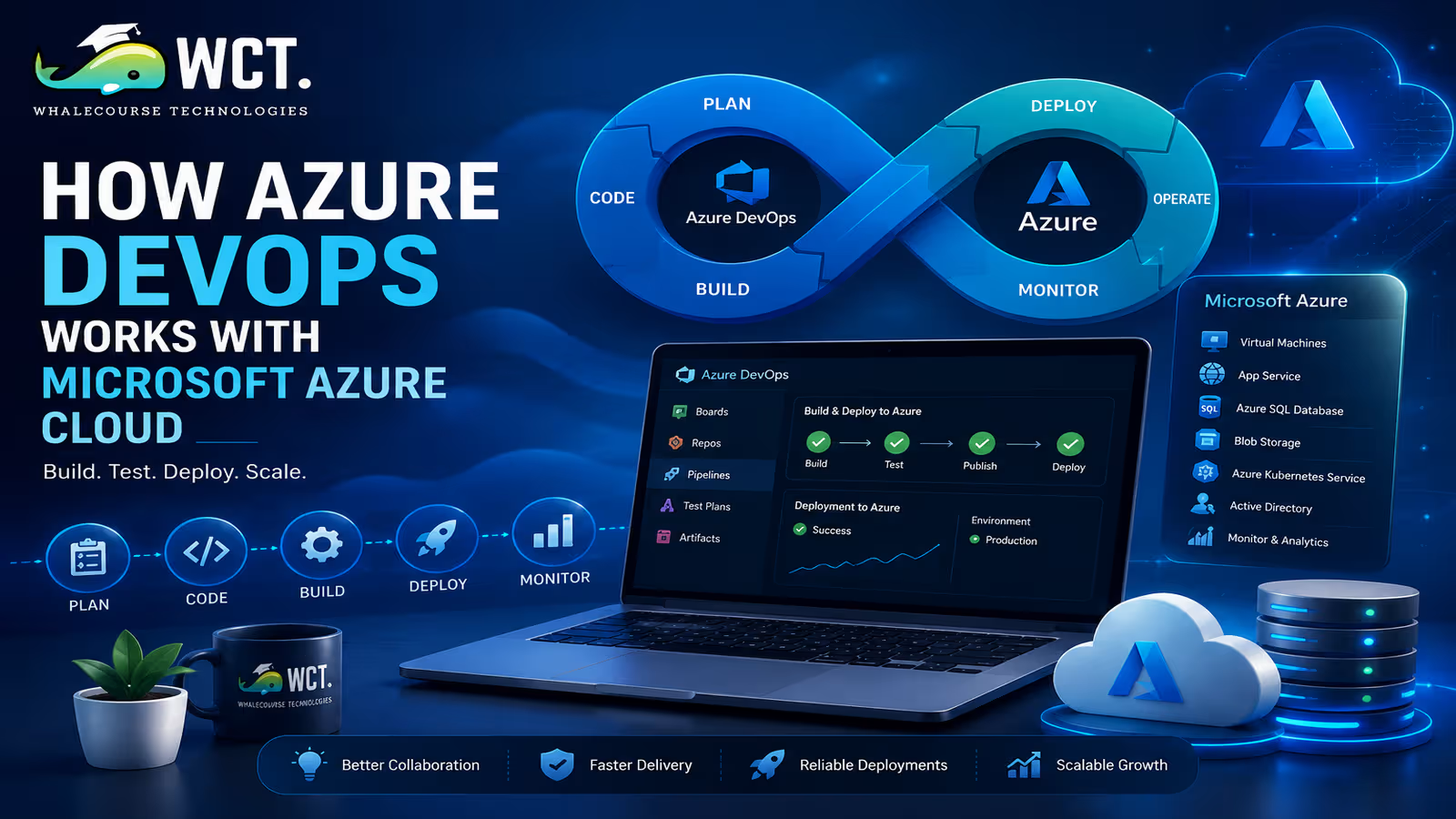
Azure DevOps is a cloud-based platform that provides five core services for software development teams. You can use all five together or pick only the ones your team needs. Each service addresses a specific part of the software development lifecycle.
- Azure Boards — Work tracking and project management. Teams use Boards to create user stories, bugs, tasks, and sprints. It supports Scrum, Kanban, and custom process templates. Think of it as Jira built into the Microsoft ecosystem.
- Azure Repos — Source code management using Git or Team Foundation Version Control. Teams store their application code here, manage branches, and conduct code reviews through pull requests.
- Azure Pipelines — Continuous integration and continuous delivery. Pipelines automatically build and test your code every time someone pushes a change, then deploy it to any environment — including Microsoft Azure cloud, AWS, Google Cloud, on-premises servers, or Kubernetes clusters.
- Azure Test Plans — Manual and exploratory testing tools that integrate with Boards for tracking defects and test cases linked to user stories.
- Azure Artifacts — Package management for storing and sharing libraries and dependencies used across your projects in npm, NuGet, Maven, Python, and Universal Package formats.
Azure DevOps is offered as a Software-as-a-Service product available at dev.azure.com. It runs in Microsoft’s cloud but is logically separate from the Microsoft Azure infrastructure platform you use to host applications.
What Is Microsoft Azure Cloud and How Is It Different?
Microsoft Azure cloud is the infrastructure and platform-as-a-service layer. It is where your applications actually run. Azure provides virtual machines, container hosting with Azure Kubernetes Service, serverless computing with Azure Functions, managed databases like Azure SQL and Cosmos DB, blob and file storage, networking services including Virtual Networks and Azure Load Balancer, identity management through Microsoft Entra ID, and hundreds of other infrastructure-level services.
The key distinction is this: Azure DevOps is where your development team works to build and ship code. Microsoft Azure is where that code runs once it has been deployed. Azure DevOps manages the process; Azure hosts the outcome.
You can use Azure DevOps to deploy code to environments other than Microsoft Azure. Many teams use Azure Pipelines to deploy to AWS, Google Cloud, or their own data center servers. Similarly, you can deploy to Azure using GitHub Actions, Jenkins, GitLab CI/CD, or other pipeline tools without using Azure DevOps at all. The two products are complementary but not mutually dependent.
How Azure Pipelines Connects to Azure Cloud Services
Azure Pipelines is where the integration between Azure DevOps and Microsoft Azure cloud becomes most tangible. When your pipeline finishes building and testing your application, it needs to deploy it somewhere. Azure Pipelines connects to Azure cloud through service connections — authenticated links that give the pipeline permission to create and update resources in your Azure subscription.
Setting up a service connection takes about five minutes in the Azure DevOps project settings. You can set up the connection by using a service principal (a secure identity managed through Microsoft Entra ID) or by choosing your Azure subscription after signing in with a Microsoft account that has the required access rights. Once the connection exists, deployment tasks in your pipeline can reference it to push code to Azure App Service, update a Kubernetes cluster in AKS, push Docker images to Azure Container Registry, run ARM or Bicep templates to provision infrastructure, or trigger Azure Functions deployments.
This connection is secure and auditable. Every deployment that goes through a service connection is logged, and you can configure approval gates that require a human to review and approve a deployment before it reaches production.
A Real-World Example of the Full Workflow
To make the relationship between Azure DevOps and Azure cloud concrete, here is how they work together in a typical web application delivery workflow at a software company.
The product team creates user stories in Azure Boards for a new feature. A developer picks up a story, creates a feature branch in Azure Repos, and starts writing code. When the feature is ready, the developer opens a pull request in Azure Repos. This triggers an Azure Pipeline CI build that compiles the code, runs unit tests, and runs static code analysis. If all checks pass, another developer reviews and approves the pull request.
The merge to the main branch automatically triggers the CD pipeline. The pipeline builds a Docker container image, pushes it to Azure Container Registry, and deploys it to an Azure Kubernetes Service cluster running in the development environment. After automated integration tests pass in development, the pipeline waits for manual approval before promoting the same image to staging and then production. All of this is configured in YAML files stored alongside the application code in Azure Repos.
Throughout this workflow, Azure DevOps manages the development process — planning, code storage, building, testing, and deployment orchestration. Microsoft Azure provides the infrastructure where the application lives and runs. Each layer does its own job cleanly.
Azure DevOps vs GitHub Actions: Which Should You Use?
Microsoft owns both Azure DevOps and GitHub, so there is natural overlap between Azure Pipelines and GitHub Actions. Many teams face the choice of which to use for CI/CD when deploying to Azure. Here is how to think about it clearly.
Azure DevOps excels in enterprise environments where teams need the full suite — Boards for project management, Repos for code, Pipelines for CI/CD, Test Plans for quality assurance, and Artifacts for packages — all integrated under one platform with detailed audit trails, granular access controls, and compliance features. Large banks, insurance companies, and regulated industries typically choose Azure DevOps for these reasons.
GitHub Actions is the better choice for open-source projects, developer-first teams that already use GitHub for code hosting, and teams that want a simpler, more community-driven pipeline ecosystem. GitHub Actions integrates natively with Azure through the Azure Login action and the set of official Azure deployment actions maintained by Microsoft. Deploying applications to Azure App Service or AKS with GitHub Actions is as simple and efficient as using Azure Pipelines.
In 2026, Microsoft’s guidance for new projects is to evaluate your team’s existing toolchain and preference. There is no wrong answer between the two if you are deploying to Azure.
Azure DevOps Self-Hosted Agents and Microsoft-Hosted Agents
Azure Pipelines runs jobs on agents — machines that execute your build and deployment steps. You have two options for agents, and understanding the difference matters when connecting pipelines to Azure resources.
Microsoft-hosted agents are pre-configured virtual machines that Microsoft spins up, runs your pipeline job, and then discards. They come with common build tools pre-installed and are the easiest starting point. However, they run on the public internet and cannot directly access Azure resources that are locked behind private networks without additional configuration like private endpoints or VPN gateways.
Self-hosted agents are machines you configure and manage yourself. You install the Azure DevOps agent software on any machine — a virtual machine running in your Azure VNet, an on-premises server, or even your laptop. Self-hosted agents running inside your Azure VNet can access private resources like Azure SQL servers with no public internet exposure, making them the standard choice for production deployment pipelines in enterprise environments.
Setting up a self-hosted agent on an Azure VM takes about fifteen minutes following the official documentation and gives your pipelines direct private network access to all resources in the same VNet.
Infrastructure as Code: Connecting Azure DevOps to Azure Resource Provisioning
One of the most powerful integrations between Azure DevOps and Microsoft Azure is using pipelines to manage Azure infrastructure through code. Instead of creating Azure resources manually through the portal, teams define their infrastructure in Bicep or ARM templates and deploy it through Azure Pipelines. This practice is called Infrastructure as Code and it transforms infrastructure management from a manual, error-prone process into a repeatable, version-controlled, auditable workflow.
A typical IaC pipeline in Azure DevOps stores Bicep template files in Azure Repos alongside the application code. When the templates change, the pipeline runs an Azure CLI or Azure PowerShell task that deploys the updated templates to the target subscription using the service connection. If the infrastructure change fails, the pipeline fails and the team is notified immediately. All changes are tracked in Git history, making rollbacks straightforward.
This approach is increasingly the standard for professional Azure DevOps teams. It eliminates configuration drift — the tendency for manually managed environments to gradually diverge from each other — and makes disaster recovery much faster since the entire environment can be rebuilt from code in minutes.
Security and Access Control Between the Two Platforms
Both Azure DevOps and Microsoft Azure use Microsoft Entra ID (formerly Azure Active Directory) as their identity foundation, which makes access management consistent across both platforms. Your organization’s users can sign into Azure DevOps with the same credentials they use for Azure portal, Microsoft 365, and Teams.
On the Azure DevOps side, access is controlled at the organization, project, and repository levels using built-in security groups. You can define who can create branches, merge pull requests, manage pipelines, or view deployment environments. On the Azure cloud side, access is managed through Role-Based Access Control (RBAC), where you assign roles like Contributor or Reader to users or groups at the subscription, resource group, or individual resource level.
For pipeline service connections, the best practice is to create a dedicated service principal with only the permissions it needs to perform its deployments — no more. Giving a pipeline service connection Owner-level access to an entire subscription is a common security mistake that significantly expands your attack surface if the service principal credentials are ever compromised.
Azure DevOps Pricing and What Is Free
Azure DevOps offers a free plan that works well for individual users and small teams. Here’s what you can use without paying.
- Unlimited public projects with no user limit
- Up to five free users on private projects (Basic access level)
- One free Microsoft-hosted pipeline with 1,800 minutes per month of pipeline run time
- Unlimited self-hosted pipeline jobs
- Azure Boards and Azure Repos with no limits on private projects for the five free users
- 2 GB of Artifact storage
For teams larger than five users on private projects, additional Basic users cost a few dollars per user per month. Microsoft-hosted parallel pipeline jobs cost extra if you need to run multiple jobs simultaneously. Test Plans are licensed separately and represent the most significant additional cost for teams doing formal manual testing at scale.
For learning purposes, the free tier is more than sufficient to build real CI/CD pipelines, practice Azure Boards, and connect your pipelines to an Azure subscription for hands-on experience with the full Azure DevOps workflow.
Azure DevOps Certification: AZ-400 Explained
If you want to prove your expertise in Azure DevOps and Microsoft Azure through a recognized certification, the AZ-400 Designing and Implementing Microsoft DevOps Solutions exam is the ideal credential to earn. It tests your ability to design CI/CD pipelines using Azure Pipelines and GitHub Actions, implement source control practices, manage package dependencies, implement security and compliance in pipelines, define and manage infrastructure as code, and implement monitoring and feedback strategies.
The AZ-400 is not an entry-level exam. Microsoft recommends completing either AZ-104 (Azure Administrator) or AZ-204 (Azure Developer) before attempting it. Candidates who sit AZ-400 without solid hands-on experience with both Azure DevOps and Azure cloud services typically struggle with the scenario-based questions that require you to design solutions combining both platforms in realistic contexts.
For someone building a DevOps career in the Microsoft ecosystem, the combination of AZ-104 and AZ-400 is a strong and marketable credential pair that directly reflects the skills companies need for managing cloud-native software delivery at scale.
Who Should Learn Azure DevOps in 2026?
Azure DevOps is the right tool to learn if you are working toward any of the following roles in 2026. DevOps engineers who need to build and manage CI/CD pipelines for applications running on Microsoft Azure will use Azure Pipelines and service connections daily. Cloud administrators who manage Azure subscriptions and need to automate resource provisioning through Infrastructure as Code pipelines will find IaC pipelines in Azure DevOps central to their work.
Software developers working in organizations that use Azure DevOps for project management, code hosting, and deployments need practical knowledge of Azure Repos, pull requests, and pipeline YAML to be effective contributors. QA engineers working on formal test case management linked to development stories will use Azure Test Plans alongside Boards.
Even if your team currently uses GitHub or GitLab, understanding Azure DevOps is valuable because a large percentage of enterprise organizations in the Microsoft ecosystem — particularly in banking, insurance, healthcare, and government — have standardized on Azure DevOps and will continue to do so well into this decade.
Start Your Data Analytics Career Today
Join WhaleCourseTechnologies for affordable training with hands-on projects and placement support.
Conclusion
Azure DevOps and Microsoft Azure cloud are two distinct but deeply complementary platforms. Azure DevOps gives your development team the tools to plan, build, test, and deploy software in a structured, repeatable way. Microsoft Azure gives that software a place to run, scale, and serve users globally. When they work together through service connections, YAML pipelines, and Infrastructure as Code, they form one of the most complete and enterprise-ready software delivery stacks available in 2026.
Learning both platforms, understanding how they connect, and earning the relevant certifications positions you very strongly for DevOps, cloud engineering, and platform engineering roles in the Microsoft ecosystem. Start by getting hands-on with the free tiers of both platforms, build a real end-to-end pipeline that deploys a simple application to Azure, and use that working example as the foundation for everything more complex that follows.
In This Article
Enroll in Our IT Courses
Master IT Program at whalecoursetechnologies
- Expert Mentorship from IT Professionals
- Job-Ready Skills with Live Projects
- Career Boost Add-on Modules
- 100% Placement & Interview Support
