
Data Analytics
Course in
Chennai
Unlock your data career with Whalecourse Technologies through our Data Analytics Course in Chennai with Pay After Placement. Learn data analysis, Excel, SQL, Power BI, and Python through online or offline training. Gain hands-on experience with real-world projects, build job-ready skills, and prepare for top data analytics roles with confidence.

3 Month
Duration
No
Coding
Any
Degree
100%
Placement
No
IT Experience
High Paid
Job
Any
Graduation Year
3 Month
Duration
No
Coding
Any
Degree
No
IT Experience
100%
Placement
Any
Graduation Year

About the Data Analytics Course
Our Data Analytics Course in Chennai equips students and professionals with key skills in data analysis, visualization, and machine learning. Through hands-on projects and real-world case studies, you’ll gain practical experience to analyze data and solve business challenges.
Free Addon Benefit You'll Gain
- 550+ Students Placed Every Month
- Free Aptitude and Technical Skills Training
- Hands-On Projects & Real-time Scenarios
- AI Powered Self Interview Practice Portal
- Interview Preparation For Freshers
- 100% Placement Assistance
100% Placements | Get Hired in Top MNC
Data Analytics Course: Why Are They in High Demand?
The Data Analytics course is in high demand as businesses increasingly rely on data-driven decisions. These programs equip students with essential skills in data analysis, visualization, and machine learning, helping them advance their careers in the growing data-driven industry.
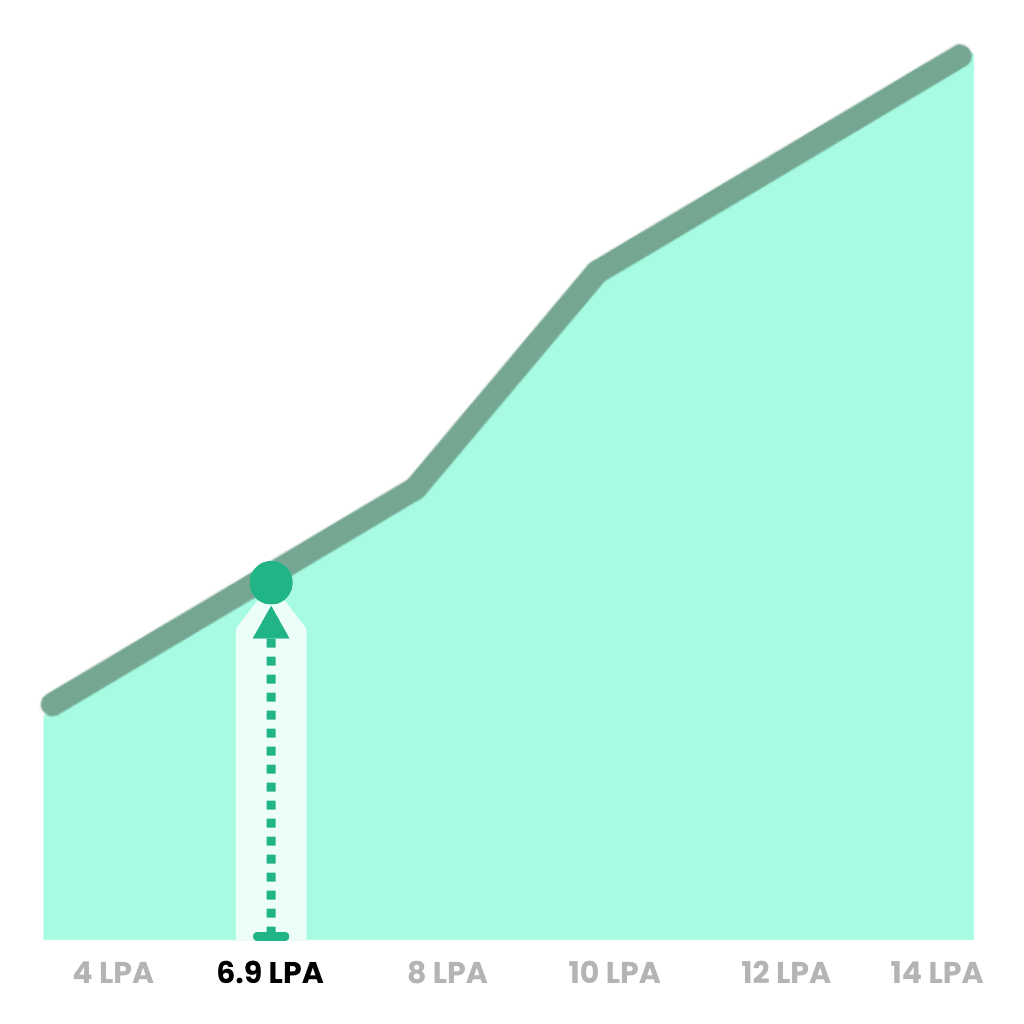
Average Data Analyst Salary (India)
Source: GLASSDOOR
Grand View Research forecasts India’s data analytics market to grow from ~US$3.55B in 2024 to ~US$21.3B by 2030, a ~6× increase (CAGR ≈35.8%).

Job posting share and demand rose strongly — ~52% growth in analytics-related postings over the last 5 years.

Target Students
Who is this for ?
Welcome to our website, where we offer a comprehensive Data Analytics course designed to enhance your skills and career prospects. Whether you want to master data analysis, visualization, machine learning, or gain expert guidance, we have programs to suit every learner.
Fresh Graduates
IT Professionals
Working Professionals
Career Switchers
Business Leaders
Startup Leaders
Marketing Professionals
Academic Professionals
Data Enthusiasts
Placement Support
Job Roles in Data Analytics
Our Data Analytics course includes dedicated placement support to help you secure your dream job. We guide you toward high-demand roles, preparing you with the skills and confidence needed to succeed in the industry.
Data Analyst
Business Analyst
Data Scientist
Data Engineer
BI Developer
Marketing Analyst
Operations Analyst
Financial Analyst
Product Analyst
Our Students in Leading Companies











Essential Data Analytics Tools
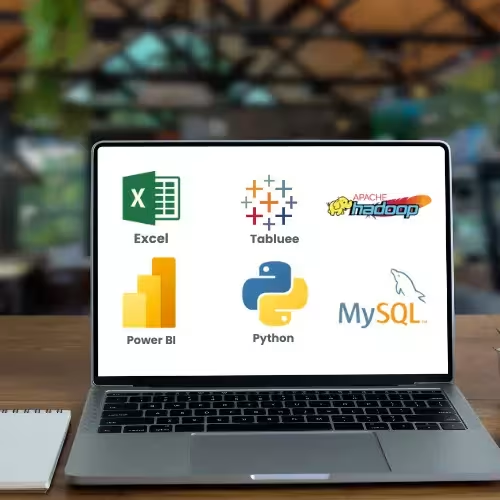
Master the essential data analytics tools used by top professionals to analyze, visualize, and interpret data effectively. Gain hands-on experience with tools like Excel, SQL, Power BI, Tableau, and Python to advance your career in data analytics.

Structured Course
Data Analytics Course Content
Our Data Analytics course is designed to provide a comprehensive understanding of data handling, analysis, and visualization, equipping students with practical skills to excel in real-world analytics projects.
Power BI Syllabus
- 1. Introduction
- 2. Installation
- 3. Data Types
- 4. Data Modeling
- 5. DAX Functions
- Aggregation & Grouping: Sum, Average, Count
- Date & Time Functions: Today, Year, DateAdd
- Logical Functions: IF, AND, OR, NOT
- Filter Functions: Filter, All
- Statistical Functions: Max, Min, Median
- Text Functions: Concatenate, Left, Right, Mid
- Information Functions: ColumnName, Columns, DataTable, ISBLANK, ISCOLUMN, ISERROR, ISEMPTY
- Time Intelligence Functions
- 6. Power Query Editor
- Data Source Connectivity: Importing data from various sources like files and databases
- Data Transformation: Renaming columns, changing data types, removing duplicates, filtering, sorting, merging, pivoting/unpivoting data
- Error Handling
- Data Loading
- 7. Column Tracking
- 8. Split Column & Choose Column
- 9. Join, Extract, Format
- 10. Advanced Query Operations: Append Query, Duplicate Query, Creating Dimension Tables, Merge Query
- 11. Power BI Visualization
- 12. Dashboards & Formatting
- 13. Power BI Service
Tableau Syllabus
- 1. Tableau Interface: Demo, Products, Desktop
- 2. Data Types in Tableau
- 3. Types of Connections
- 4. Dimensions & Measures
- 5. Discrete & Continuous Data
- 6. Tableau File Extensions
- 7. Groups, Combine, Sets, Parameters, Combined Sets, Hierarchies
- 8. Filters: Data Source, Extract, Dimension, Measure, Cascading, Context
- 9. Functions: Number, Aggregate, Logical, String, Table Calculations, Window, Date, Quick Table Calculation, Null Handling, Analytics
- 10. LOD (Level of Detail) & Bins
- 11. Types of Axis & Charts
- 12. Maps & Filters
- 13. Dashboards: Basic & Advanced Preparation
- 14. Dashboard Actions
- 15. Data Modeling, Relationships & Data Blending
- 16. Joining: Cross-Database Join
- 17. Tableau Server / Tableau Online
- 18. Embedded & Published Data Sources
- 19. Site Roles & User Controls
- 20. RLS (Row Level Security), Alerts, Subscriptions, Metrics
- 21. Empty Extracts
SQL Syllabus
- 1. Introduction
- 2. Installation
- 3. Creating Databases and Tables
- 4. Data Types
- 5. Operators
- 6. Case Manipulation Functions: UPPER(), LOWER(), INITCAP()
- 7. Character Manipulation Functions: SUBSTRING(), CONCAT(), LEN(), TRIM(), REPLACE()
- 8. Other Functions: Date, Null, Number, General
- 9. Aggregate & Group Functions: COUNT(), SUM(), AVG(), MIN(), MAX(), GROUP BY, HAVING
- 10. Analytical Functions
- 11. SQL Commands: Data Definition, Data Manipulation, Transaction Control, Data Query Language (DQL) Commands
- 12. Joins: INNER, LEFT, RIGHT, FULL, CROSS
- 13. Constraints: NOT NULL, PRIMARY KEY, UNIQUE, FOREIGN KEY, DEFAULT, INDEX, CHECK
- 14. Set Operators: UNION, UNION ALL, MINUS, INTERSECT
- 15. Views and Materialized Views
- 16. Sub-Queries
- 17. Pseudo Columns: ROWID, ROWNUM, LEVEL, CONNECT_BY_ISLEAF, SYS_GUID()
Python Syllabus
- 1. Introduction
- 2. Installation: Python, Anaconda, and Jupyter Notebook
- 3. Compilation vs Interpretation
- 4. First Basic Program: “Hello World”
- 5. Variables
- 6. Data Types
- 7. Operators
- 8. Functions and Methods
- 9. Conditional Statements: if, if-else, elif
- 10. Loops: while, for
- 11. Data Structures: List, Tuple, Set, Dictionary
- 12. Iteration Tools: map, filter
- 13. Regular Expressions
- 14. Packages, Modules, and PIP
- 15. Exceptions
- 16. Object-Oriented Programming (OOP)
- Classes and Objects
- Constructor
- Attributes and Methods
- Inheritance
- Encapsulation
- Polymorphism
- 17. Anonymous Functions (Lambda)
- 18. Python Libraries: NumPy, Pandas, Matplotlib
- 19. Generators and Closures
Power Automate Syllabus
- 1. Create Automatic Emails to Gmail accounts with attachments stored in OneDrive
- 2. Create Automatic Groups using Microsoft Forms
- 3. Send Automatic Birthday and Wedding Wishes via email
- 4. Set Up Power BI Alert Notifications to Microsoft Teams and Outlook
- 5. Refresh Datasets automatically
- 6. Support Team Assistance for troubleshooting issues or errors
Power Apps Syllabus
- 1. Introduction
- 2. Installation
- 3. Getting Started with Developer Environment
- 4. Variables
- 5. Collections
- Creating, Accessing, Manipulating, Iterating, Clearing
- 6. Creating Automatic Mails for Birthdays and Components
- Canvas Apps
- Model-Driven Apps
- Data Sources
- Controls
- Expressions
- Screens
- Data Integration
- 7. Dynamic Assignment
- Using formulas, variables, collections, contextual information, controls, and properties
- Responding to user interactions
- 8. Functions
- Data, Control, Math, Text, Logical, Date & Time, Input & Interaction
- 9. Formulas
- onselect, onclick, Upper, Lower, Proper, Launch, Navigation
- 10. Creating Canvas Apps Using SQL & SharePoint
- 11. Data Validation Using SQL & SharePoint
- 12. Creating Apps Using Forms and Gallery
- 13. CRUD Operations
- Create, Read, Update, Delete
- 14. Creating Cascading Dropdowns
- 15. Integrating Power BI with Power Apps
- Creating Power BI Reports
- Publishing Reports to Power BI Service
- Generating Embed Code
- Embedding Power BI Reports in Power Apps
- Configuring Interactivity
- Testing and Publishing
Launch Your Career with Our 100% Placement Support


Interviews



Launch Your Career with Our 100% Placement Support
Interviews
Expert Trainers with Industry Experience
Learn from our expert trainers with industry experience, who bring real-world knowledge and practical skills to every session. Their guidance ensures you gain hands-on expertise and confidence to succeed in the IT industry.

This course is designed for absolute beginners in Data Analytics! You don’t need any prior experience—just a willingness to learn. Our step-by-step approach will help you understand data analysis, visualization, and business intelligence concepts, and gain the confidence to work with real-world datasets.
Job-Ready Data Analytics Program
Our Job-Ready Data Analytics Program equips you with the skills and knowledge demanded by top employers. Learn to analyze, visualize, and interpret data effectively, gaining the confidence to excel in the data-driven industry.
Highly Practical
What You'll Learn ?
- Learn to collect, clean, and preprocess data for analysis.
- Create charts, dashboards, and interactive reports using tools like Power BI, Tableau, or Excel.
- Understand descriptive and inferential statistics to extract insights.
- Query, manipulate, and manage datasets efficiently using SQL.
- Apply Python or R for data analysis, modeling, and automation.
- Transform data into actionable insights for business decision-making.
- Work on real-world projects using industry-relevant datasets.
- Communicate findings effectively through dashboards and reports.

Student Success Stories
WhaleCourse is the best institute for its experienced faculty, industry-relevant syllabus, job placement support, and flexible learning options.
Shanmuga Pandian
Student
I extend my sincerest gratitude to Whalecourse for their instrumental role in helping me achieve my career goal of securing a position at an esteemed company.
Rajesh M
Entrepreneur
I have joined Whalecourse for Data Analytics. The trainers are very supportive, clear all doubts freely, and the teaching method is excellent.
Ashok
Cyber Security
Master In-Demand Job Guarantee IT Courses
Gain hands-on skills in the latest IT tools and techniques to become job-ready and advance your career.



Data Analytics
AWS
Testing
Digital Marketing
Full Stack Dev
Why Whale is the Smarter Choice
Languages
Support 1:1
Support Until Placement
Mock Interview
Real Time Projects
Lifetime Access Recordings
Lifetime Access Materials
Interview Questions
Working Professionals as Trainers
Whales
English, Hindi, Telugu & தமிழ்
Mail, Chat & Call – 24/7
Others
English, Hindi, Telugu & தமிழ்
Mail, Chat & Call – 24/7
Why Whale is the Smarter Choice
English, Hindi, Telugu & தமிழ்
Mail, Chat & Call – 24/7
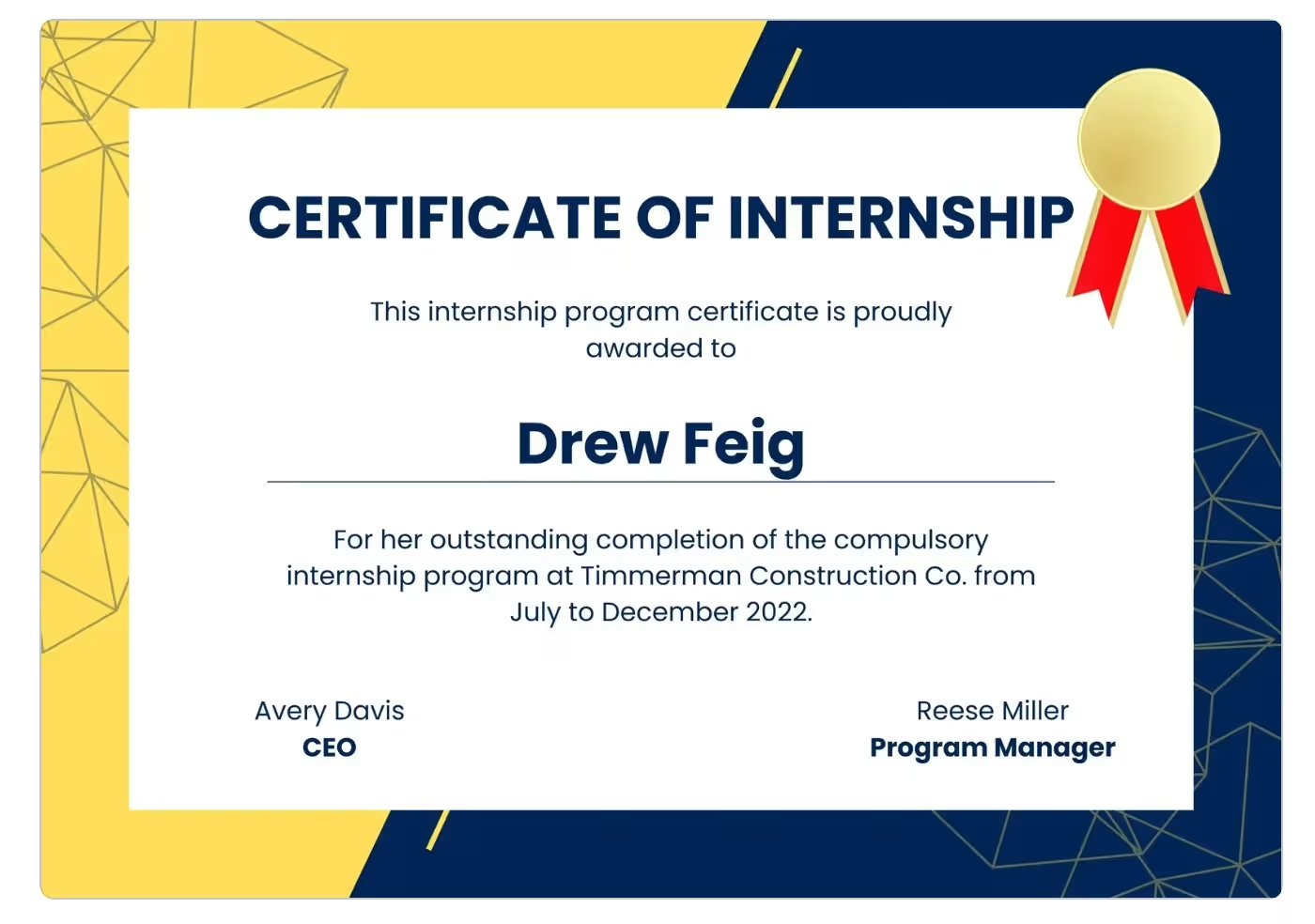
Whale Courses Certification: Key Benefits

Earn a certification that is recognized worldwide, enhancing your credibility and career opportunities.

Showcase your skills and distinguish yourself from the competition in the data analytics industry.

Gain an edge over peers by showcasing your Whalecourse certification and industry-relevant skills.
High-Quality Education With Affordable Price
₹15,000
+ GST
Per month • For 2 months
₹25,000 30,000
NO GST
One-time full payment
- 20 Sessions & 4 Tools
- 60-Hour Live Classes
- English, Tamil
- Lifetime Access to Recordings
- 5 Final Projects
- Placement Support

Frequently Asked Questions
Does Whalecourse Technologies provide placement support for Data Analytics learners?
Yes. Whalecourse Technologies offers dedicated placement support for every Data Analytics Course learner. We help you build a strong resume, prepare for interviews, improve your LinkedIn profile, and connect with job opportunities. Our goal is to help you start your career with confidence.
Does the course include hands-on projects?
Yes. Our Data Analytics Classes include hands-on projects based on real business data. You’ll work with Excel, SQL, Python, Power BI, and Tableau to solve real business problems. These projects help you build practical skills, gain industry experience, and create a strong portfolio for job opportunities.
Will I receive interview and resume preparation support?
Absolutely. Our mentors help you prepare for technical and HR interviews through mock interviews, resume reviews, and career guidance. We also provide LinkedIn profile tips to improve your job opportunities.
Which companies hire learners after completing the course?
After completing our Data Analytics Course, you can apply to leading companies such as TCS, Infosys, Wipro, Accenture, Cognizant, Capgemini, Mu Sigma, Fractal Analytics, and many other organizations that hire data professionals.
How much does the Data Analytics Course cost?
Our Data Analytics Course fee is affordable for students, graduates, and working professionals. It includes live training, study materials, practical assignments, real-world projects, and placement support. We also offer flexible payment options to suit different budgets.
Do you offer EMI or installment options?
Yes. Whalecourse Technologies offers flexible EMI and installment plans. This allows you to join our Data Analytics Classes without paying the full fee at once. Our team will help you choose a suitable payment option.
Are there any hidden charges?
No. We follow a transparent fee structure. The course fee includes learning materials, project work, mentor support, and career guidance. There are no hidden charges during your training.
Are discounts available for students or group registrations?
Yes. We regularly offer special discounts for students, early registrations, and group enrollments. Contact our support team to learn about the latest offers and eligibility.
Who will be my mentor during the Data Analytics Course?
You’ll learn from experienced industry professionals with practical knowledge of data analytics and business intelligence. Our mentors use Excel, SQL, Python, Power BI, Tableau, and real business datasets to help you understand each topic through hands-on learning.
How does one-on-one mentoring work?
Our mentors provide one-on-one guidance to explain concepts, review assignments, solve project challenges, and answer your questions. During our Data Analytics Classes, you’ll receive regular feedback to improve your technical and problem-solving skills.
Can I receive mentor support after completing the course?
Yes. We continue to support you after you complete the Data Analytics Course. Our mentors provide career guidance, interview preparation, project advice, and learning recommendations to help you grow in your analytics career.
How experienced are the mentors?
Our mentors have industry experience in data analytics, business intelligence, reporting, and dashboard development. They work with Excel, SQL, Python, R, Power BI, Tableau, MySQL, PostgreSQL, Pandas, and NumPy to solve real business problems.
What is Data Analytics?
Data Analytics is the process of collecting, cleaning, organizing, and analyzing data to find useful insights. Businesses use these insights to improve performance, solve problems, and make better decisions. Our Data Analytics Institute teaches these skills through practical examples and projects.
Who can join the Data Analytics Course?
Anyone can join our Data Analytics Course, including students, graduates, freshers, working professionals, and career changers. Our Data Analytics Institute in Chennai starts with the basics, so no previous programming or analytics experience is required.
What will I learn in the Data Analytics Course?
Our Data Analytics Course helps you build practical skills with Excel, SQL, Python, R, Power BI, and Tableau. You’ll also learn Pandas, NumPy, MySQL, PostgreSQL, data cleaning, data visualization, Exploratory Data Analysis (EDA), statistical analysis, business intelligence, Power Query, Pivot Tables, and Jupyter Notebook. Throughout the course, you’ll complete real-world projects using business datasets.
What career options can I explore after the course?
After completing our Data Analytics Classes, you can explore careers as a Data Analyst, Business Analyst, BI Analyst, Reporting Analyst, MIS Analyst, Analytics Consultant, or an entry-level Data Scientist. Our Data Analytics Institute in Chennai helps you build practical skills that employers value across IT, finance, healthcare, retail, and e-commerce industries.
