
Selenium Cross Browser Testing: Running Tests on Cloud Platforms
Selenium cross browser testing is one of the most valuable skills for a test automation engineer. A compatibility issue occurs when a website performs correctly in one browser, such as Chrome, but behaves differently or fails in browsers like Firefox or Safari. Selenium enables testers to run a single set of automation scripts and check applications across multiple web browsers. This guide covers the Selenium setup for multi-browser testing and explains how cloud-based testing platforms such as BrowserStack and Sauce Labs can help teams run and scale their tests efficiently.
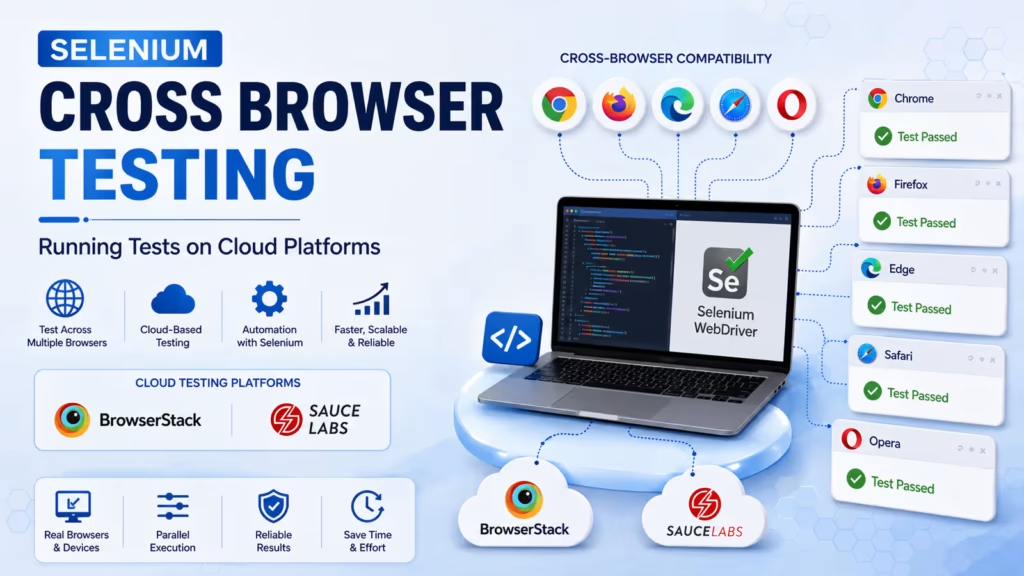
Understanding Cross-Browser Testing and Why It Matters
Cross-browser testing involves checking whether a web application performs properly on multiple browsers, including Chrome, Firefox, Edge, Safari, and Opera. Browsers do not always interpret web technologies in exactly the same way because they rely on different rendering engines. Chrome is based on Blink, Firefox uses Gecko, and Safari runs on WebKit. These engines can handle HTML, CSS, and JavaScript differently, so a feature that works smoothly in one browser may display incorrectly or stop working in another.
People who visit your website do not all use the same browser. Chrome holds the largest share of the global browser market, while browsers such as Safari, Edge, and Firefox are also widely used. If your application works perfectly in Chrome but breaks in Safari, Firefox, or another browser, you could lose potential visitors and create a poor user experience. Cross-browser testing helps identify these compatibility issues before the application reaches production.
How Selenium Supports Multiple Browsers
Selenium WebDriver communicates with browsers through browser-specific drivers. Each driver acts as a bridge between your test code and the actual browser.
- ChromeDriver — controls Google Chrome
- GeckoDriver — controls Mozilla Firefox
- EdgeDriver — controls Microsoft Edge
- SafariDriver — built into macOS, controls Apple Safari
Because Selenium uses the same API across different browsers, moving your test code from one browser to another usually requires changing only one or two lines. The core test logic can remain unchanged. This consistency makes cross-browser testing with Selenium easier to manage at scale.
You typically use a WebDriver factory pattern to keep your test code flexible. Instead of hardcoding the browser name, you read it from a configuration file or environment variable. Your test suite then picks up whichever browser is specified at runtime.
Setting Up Selenium WebDriver for Testing Across Multiple Browsers
To begin Selenium cross browser testing on your local machine, install the Selenium WebDriver library for your chosen programming language. Java developers add it via Maven or Gradle. Python developers install it using pip. JavaScript developers use npm.
After installing the library, download the correct browser driver for your target browsers and ensure the driver version matches your installed browser version. Modern Selenium 4 introduces Selenium Manager, which can automatically download the correct driver version for you, eliminating most setup headaches.
A basic cross browser test in Python looks like this:
- Import the webdriver module from the selenium library.
- Create a driver object using the browser name passed as a parameter.
- Use the driver to navigate to your application URL.
- Run your assertions and close the browser at the end.
This structure allows you to pass any browser name from your test runner and have the same test execute in that browser without modifying any test logic.
Limitations of Local Cross Browser Testing
Running Selenium cross browser tests on your local machine works fine when you need to test one or two browsers. But local testing has real limitations that slow teams down as projects grow.
- You can test only the browsers available on your computer. For instance, Safari works exclusively on macOS.
- You cannot easily test across dozens of browser-OS combinations simultaneously.
- Running multiple browsers in parallel on a single machine consumes significant RAM and CPU.
- Local environments are not consistent across team members, leading to flaky test results.
- Mobile browser testing is nearly impossible without physical devices or emulators.
These limitations are why cloud-based cross browser testing platforms were created. They solve each of these problems by providing remote browser infrastructure on demand.
Running Selenium Tests on BrowserStack
BrowserStack is one of the most widely used cloud testing platforms. It provides access to over three thousand real browsers and devices. You connect your Selenium tests to BrowserStack’s remote grid using your username and access key.
Instead of creating a local WebDriver object, you create a RemoteWebDriver that points to BrowserStack’s cloud hub URL. You pass browser capabilities as a dictionary, specifying the browser name, browser version, operating system, and OS version. BrowserStack spins up a matching browser session in its cloud and executes your test there.
The key advantages of using BrowserStack for Selenium cross browser testing include:
- Access to real Safari on real macOS machines, not emulated
- Live video recordings of every test session for debugging
- Automated screenshots at each step
- Network logs and console logs for troubleshooting
- Parallel test execution across hundreds of browser combinations simultaneously
BrowserStack integrates with CI/CD tools like Jenkins, GitHub Actions, and CircleCI, making it straightforward to run cross browser tests on every code push.
Sauce Labs as an Alternative Cloud Platform
Sauce Labs offers a similar cloud infrastructure for Selenium cross browser testing with some differences in how it handles test reporting and platform coverage. Sauce Labs is particularly strong in enterprise environments and supports a wide range of legacy browser versions that teams with large user bases need to cover.
Sauce Labs also supports Sauce Connect, a secure tunnel that lets you test applications hosted on your local network or behind a firewall. This is critical for testing staging environments that are not publicly accessible.
Both BrowserStack and Sauce Labs support the W3C WebDriver protocol, which is the modern standard that Selenium 4 uses. This means your test code works consistently across both platforms without any platform-specific changes.
BrowserStack vs Sauce Labs: A Quick Comparison
| Feature | BrowserStack | Sauce Labs |
|---|---|---|
| Real Device Coverage | 3000+ browsers and devices | Extensive, strong legacy support |
| Local Tunnel | BrowserStack Local | Sauce Connect |
| Video Recording | Yes, all sessions | Yes, all sessions |
| CI/CD Integration | Jenkins, GitHub Actions, Azure | Jenkins, CircleCI, TeamCity |
| Best For | Startups and mid-size teams | Enterprise environments |
Parallel Test Execution for Cross Browser Coverage
Running tests one browser at a time is slow. If you have fifty test cases and four target browsers, sequential execution means running two hundred tests in total — which could take hours. Parallel execution solves this by running all browser sessions at the same time.
Cloud platforms are built specifically for this. You configure your test runner — TestNG in Java, pytest in Python, or WebdriverIO in JavaScript — to spawn multiple threads or processes. Each thread runs the same test suite but on a different browser. All four browser runs complete in roughly the same time as a single browser run.
The key configuration steps for parallel Selenium cross browser testing on cloud platforms:
- Define browser configurations in a data file or test configuration matrix.
- Set your test framework to use parallel execution mode.
- Ensure each thread creates its own independent WebDriver instance.
- Use unique session names to identify each browser run in the cloud dashboard.
Common Issues in Selenium Cross Browser Testing
Experienced testers know that cross browser tests often behave differently than single browser tests. Here are the most frequently encountered issues and how to handle them.
- Element locator differences — Some browsers render dynamic elements with slightly different IDs or attributes. Use stable CSS selectors or data-testid attributes instead of browser-generated IDs.
- JavaScript execution differences — Older browsers handle modern JavaScript features differently. Ensure your application is transpiled correctly using Babel if older browser support is required.
- Font and layout rendering — Text wrapping, line heights, and box sizing may differ across browsers. Use screenshots from cloud platforms to spot these visually.
- Timing and wait issues — Some browsers are slower to load certain elements. Always use explicit waits rather than hardcoded sleep statements.
- Cookie and session handling — Safari enforces stricter cross-site cookie policies. Test your login flows specifically in Safari to catch authentication issues early.
Integrating Cloud Testing Into Your CI/CD Pipeline
The real power of cloud-based Selenium cross browser testing comes from integrating it into your continuous integration pipeline. Every time a developer pushes code, your cross browser test suite runs automatically against the cloud platform and reports results back to your CI tool.
In GitHub Actions, you set your cloud platform credentials as repository secrets. Your workflow YAML file triggers the test suite on pull requests. Results appear directly in the pull request checks, and if a specific browser fails, the team sees exactly which browser had the problem before the code is merged.
Best practices for CI/CD cross browser integration:
- Run your full cross browser suite on pull requests to main branches only. Run a smaller smoke test suite on every push to feature branches to save time.
- Use test tagging to separate fast unit tests, integration tests, and cross browser tests into distinct pipeline stages.
- Archive test reports and screenshots as CI artifacts so the team can review failures without needing cloud platform credentials.
Choosing the Right Browsers to Test
Not every application needs to support every browser. The browsers you test against should match your actual user data. Check your analytics platform to see which browsers your real visitors are using. Build your test matrix based on that data rather than testing every possible combination.
A sensible starting matrix for most web applications:
- Chrome (latest) on Windows and macOS
- Firefox (latest) on Windows
- Safari (latest) on macOS
- Edge (latest) on Windows
- Chrome and Safari on mobile viewports for responsive testing
Revisit your browser matrix every six months. Browser market share shifts over time, and some older browser versions your analytics showed six months ago may no longer represent meaningful user traffic today.
Start Your Automation Testing Career Today
Join WhaleCourseTechnologies for affordable training with hands-on projects and placement support.
Conclusion
Selenium cross browser testing is not optional for any serious web testing strategy. Users arrive on your application from different browsers, different operating systems, and different device types. Your job as a tester is to ensure the experience is consistent across all of them.
Start with a local setup to understand the fundamentals. Then move to a cloud platform like BrowserStack or Sauce Labs once you need coverage beyond what your local machine can provide. Integrate your cross browser suite into your CI/CD pipeline so that compatibility issues are caught before code reaches production.
The teams that catch cross browser bugs before release are the teams that ship reliable software. That reliability comes from systematic Selenium cross browser testing done consistently at every stage of development.
In This Article
- What Is Cross Browser Testing?
- How Selenium Supports Multiple Browsers
- Setting Up Selenium WebDriver
- Limitations of Local Testing
- Running Tests on BrowserStack
- Sauce Labs as an Alternative
- Platform Comparison
- Parallel Test Execution
- Common Issues
- CI/CD Integration
- Choosing the Right Browsers
- Conclusion
Enroll in Our IT Courses
Master IT Program at whalecoursetechnologies
- Expert Mentorship from IT Professionals
- Job-Ready Skills with Live Projects
- Career Boost Add-on Modules
- 100% Placement & Interview Support
