
How AI Is Changing Selenium Automation Testing
For over a decade, developers and quality assurance engineers have relied on Selenium to test their web applications automatically. However, maintaining test scripts is becoming incredibly difficult as websites grow more interactive. Today, we are seeing a massive shift in how teams write and execute their test code. Indeed, AI Is Changing Selenium Automation Testing by introducing smart tools that make test suites resilient and self-healing. This combination of artificial intelligence and classic browser automation helps software teams release updates faster without breaking existing features. If you have ever spent hours fixing broken locators or waiting for slow tests to run, understanding this technological shift is critical for your testing success. In this post, we will explore how machine learning models are upgrading Selenium from a simple browser driver into an intelligent testing powerhouse.
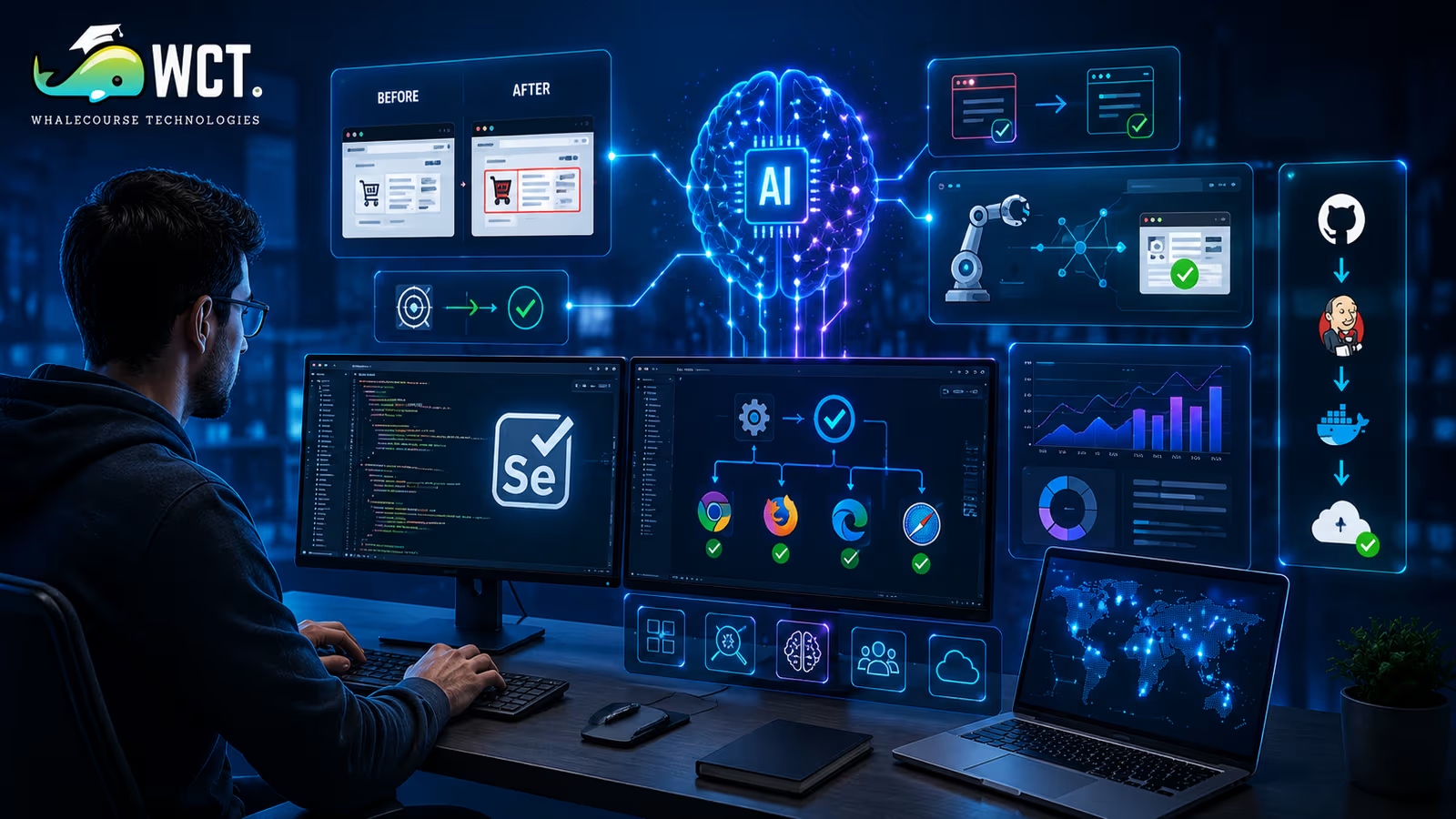
Why AI Is Changing Selenium Automation Testing
To appreciate why AI is joining forces with Selenium, we must first look at the major pain points of standard automation. Traditional Selenium relies heavily on fixed web element locators, such as XPath, CSS selectors, or element IDs. When web designers change the layout of a page or modify a button, these paths frequently break. This leads to what engineers call ‘flaky tests’—tests that fail not because of a real bug, but because the script could not locate the element.
Additionally, teams spend a massive amount of time writing boilerplate code for every new user interaction. QA teams often feel like they are running on a hamster wheel, constantly updating scripts instead of writing new tests. By bringing machine learning into the picture, tools can now analyze the context of a webpage. They do not just look at a static ID; they look at the entire button, its text, its position, and its function. This shift explains why AI Is Changing Selenium Automation Testing, transforming it from a fragile, rule-based script into a flexible system that adapts to change.
The Core Areas Where AI Enhances Selenium
Artificial intelligence is not replacing Selenium; rather, it is supercharging it. By combining the reliable execution engine of Selenium with smart algorithms, developers can build a much stronger test pipeline. This combination allows teams to focus on quality rather than fixing broken scripts. Let us look at four main areas where intelligent tools are making the biggest difference in everyday browser testing and developer workflows.
Self-Healing Test Locators
One of the most frustrating tasks in test automation is updating locators when the user interface changes. In a standard Selenium test, if a button ID changes from ‘submit-btn’ to ‘confirm-button’, the test fails immediately. Self-healing technology solves this problem by using machine learning models to study the webpage structure. When a locator breaks, the AI-driven tool looks at other attributes of the element, such as its relative position, its tag name, its CSS classes, and its text content. It then automatically identifies the correct button and updates the test script on the fly. This prevents unnecessary test failures and saves QA teams hours of manual debugging. It ensures that your continuous integration pipelines run smoothly even when minor design changes occur, making your test suites much more reliable.
Intelligent Test Generation
Writing tests from scratch can be slow. Traditionally, a quality assurance tester has to write line-by-line commands to open a browser, click specific coordinates, and verify page text. AI-powered test generation tools can watch how a human uses a web application. By observing user journeys, these tools automatically create Selenium code. They can identify common user paths, such as logging in, adding items to a shopping cart, and checking out. The tool then builds clean, structured Selenium scripts that cover these exact paths. This significantly reduces the time needed to build test suites, helping teams validate a wider range of features more efficiently. Even team members who do not write code can contribute to generating comprehensive tests, democratizing the quality assurance process across the entire business.
Visual Regression Testing
Traditional Selenium is great at checking functional elements, but it is blind to visual glitches. It can verify that a button is clickable, but it cannot tell if the button is overlapping with text or hidden behind an image. Visual regression testing uses computer vision algorithms to compare screenshots of your application against a baseline image. When a new version of the app is deployed, the visual engine takes a screenshot and highlights any differences, such as misaligned fonts, broken layout grids, or incorrect colors. By combining visual checks with Selenium scripts, you get the best of both worlds: functional correctness and visual perfection. This ensures that the user interface looks correct across different browsers and mobile device screens, without requiring a human to manually review every single page.
Predictive Test Execution
As software products grow, their test suites can include thousands of individual tests. Running all of these tests for every tiny code change takes a lot of time and computing power. Predictive test execution uses historical test data to predict which tests are most likely to fail based on the specific files changed in a pull request. Instead of running the entire suite, the AI system runs a smart subset of tests. This drastically reduces execution time, giving developers fast feedback within minutes rather than hours. It saves server costs and speeds up the entire software delivery pipeline. If a test fails, the developer knows almost immediately, allowing them to fix bugs before they merge their work, making development cycles much more efficient.
How to Integrate AI with Your Current Selenium Setup
- Choose an AI-assisted testing framework: The first step is to select a modern platform or plugin that integrates directly with Selenium. Tools like Applitools, Mabl, or Testim can easily connect to your existing Selenium codebase, meaning you do not have to throw away your current work.
- Add visual checkpoints: Instead of relying only on traditional text assertions, insert visual validation commands into your existing Selenium test code. This allows the AI engine to capture the overall layout and catch visual bugs that normal scripts miss.
- Enable self-healing capabilities: Update your test execution configuration to allow the AI engine to suggest locator alternatives. When a target element is not found, the agent will dynamically search for matches, keeping your pipeline green.
- Analyze test failure patterns: Use machine learning dashboards to group similar test failures together. This helps you identify if a single backend bug is causing multiple test runs to fail, making debugging much simpler for your team.
- Optimize execution with predictive scheduling: Connect your test suite to your continuous integration system and configure it to run only the relevant test scripts for small code updates, saving valuable computer resources.
Top Benefits of Smart Test Automation
- Reduced maintenance time: Teams spend significantly less time updating broken selectors because self-healing code automatically fixes issues in real-time, allowing developers to focus on building new application features.
- Faster release cycles: Running only the necessary tests based on predictive selection keeps the development process moving quickly, helping your company deploy updates to users multiple times a day.
- Better test coverage: Combining visual checks with functional steps ensures that both the raw code and the overall design work perfectly, catching issues that humans might overlook.
- Lower infrastructure costs: Executing fewer, smarter tests reduces the cloud computing resources and virtual machines needed to run test suites, directly lowering your monthly technology bills.
The Future of Web Testing Tools
As we look ahead, the role of QA testers will continue to evolve from writing code to managing intelligent systems. Natural language processing will play a huge role in this transition. Imagine writing a test script in plain English, like ‘log in, add a red shoe to the cart, and verify the total price is fifty dollars.’ AI engines will translate this sentence directly into executable Selenium commands behind the scenes. Furthermore, fully autonomous agents will explore your application on their own, finding bugs and writing their own test scripts without any human input. This shows how AI Is Changing Selenium Automation Testing in a permanent way, turning quality assurance from a repetitive chore into a strategic engineering role where human creativity is valued most.
Potential Challenges of Using Intelligent Automation
While these new tools are incredibly powerful, they are not without challenges. First, machine learning models require high-quality data to learn what a correct application looks like. If your initial testing data is messy, the machine might make incorrect decisions or miss critical bugs. Second, there is a learning curve for teams adopting these advanced systems. Team members must understand how to configure and trust these automated tools. Finally, commercial smart testing tools can be expensive, which might be a barrier for smaller teams with limited budgets. Despite these issues, the long-term savings in time and manual effort usually outweigh the initial costs, making it a worthy investment for growing engineering organizations.
Best Practices for Modern Testing Teams
To get the most out of these modern tools, engineering teams should follow a few key practices. First, do not completely abandon traditional testing rules. Keep your Selenium tests clean and well-structured, as machine learning works best on top of a solid foundation. Second, start small. Do not try to convert your entire testing suite overnight. Instead, pick a single feature or a set of flaky tests and apply self-healing tools to them.
Here are a few practical tips to keep in mind:
- Regularly remove outdated test data to keep your databases clean and prevent scripts from failing unexpectedly.
- Execute tests in a stable, isolated environment to reduce false failures caused by network-related issues.
- Use visual testing together with functional testing to achieve more complete coverage of both application behavior and user interface layout.
By taking a step-by-step approach, your team can enjoy the benefits of smart automation without feeling overwhelmed. This balanced method helps you maintain high quality while adapting to new technologies. As you can see, AI Is Changing Selenium Automation Testing in a way that benefits everyone on the team.
Start Your Data Analytics Career Today
Join WhaleCourseTechnologies for affordable training with hands-on projects and placement support.
Conclusion
Selenium has been the backbone of web automation for years, and it is not going away anytime soon. However, the integration of artificial intelligence is changing how we use this classic tool. By solving issues like brittle locators and visual checking, machine learning is making test suites faster and more reliable. Embracing these new tools will help your team ship software with confidence and speed. Now is the perfect time to start experimenting with these technologies to see how they can improve your workflows, reduce manual debugging, and help you build better web applications for your users. As you incorporate these smart practices, you will see a massive improvement in developer satisfaction and code quality. The future of quality assurance is here, and it is smarter than ever.
In This Article
- Why AI Is Changing Selenium Automation Testing
- The Core Areas Where AI Enhances Selenium
- How to Integrate AI with Your Current Selenium Setup
- Top Benefits of Smart Test Automation
- The Future of Web Testing Tools
- Potential Challenges of Using Intelligent Automation
- Best Practices for Modern Testing Teams
- Conclusion
Enroll in Our IT Courses
Master IT Program at whalecoursetechnologies
- Expert Mentorship from IT Professionals
- Job-Ready Skills with Live Projects
- Career Boost Add-on Modules
- 100% Placement & Interview Support
