
Azure vs AWS: Key Differences Explained
Choosing between Azure and AWS is one of the most common decisions IT leaders, developers, and enterprise architects face. Both are mature, enterprise-grade cloud platforms with enormous service catalogs, global infrastructure, and strong support ecosystems. The differences between them are real but often more nuanced than vendor comparisons suggest. This article explains the key differences between Azure and AWS across the dimensions that matter most when making a genuine platform decision: compute, storage, pricing, enterprise integrations, developer experience, and certification pathways.
Market Position and Scale
Amazon Web Services launched in 2006 and established the cloud computing market as it exists today. It consistently holds the largest market share in the public cloud infrastructure space. AWS operates across more regions globally than any other provider and has the broadest service catalog — over 200 services across compute, storage, databases, machine learning, IoT, security, and developer tools.
Microsoft Azure launched in 2010 and has grown to second position, with a trajectory that reflects Microsoft’s deep penetration into enterprise IT. Azure’s market position is disproportionately strong among organizations that already use Microsoft products — Windows Server, SQL Server, Active Directory, Office 365, and Dynamics 365. The integration depth between Azure and the broader Microsoft ecosystem is a genuine differentiator that has no equivalent on AWS.
Both platforms are globally available, financially stable, and capable of supporting workloads at any scale. The choice between them is rarely about capability — it is about fit with existing infrastructure, team skills, commercial relationships, and specific service requirements.
Azure vs AWS: Core Service Comparison
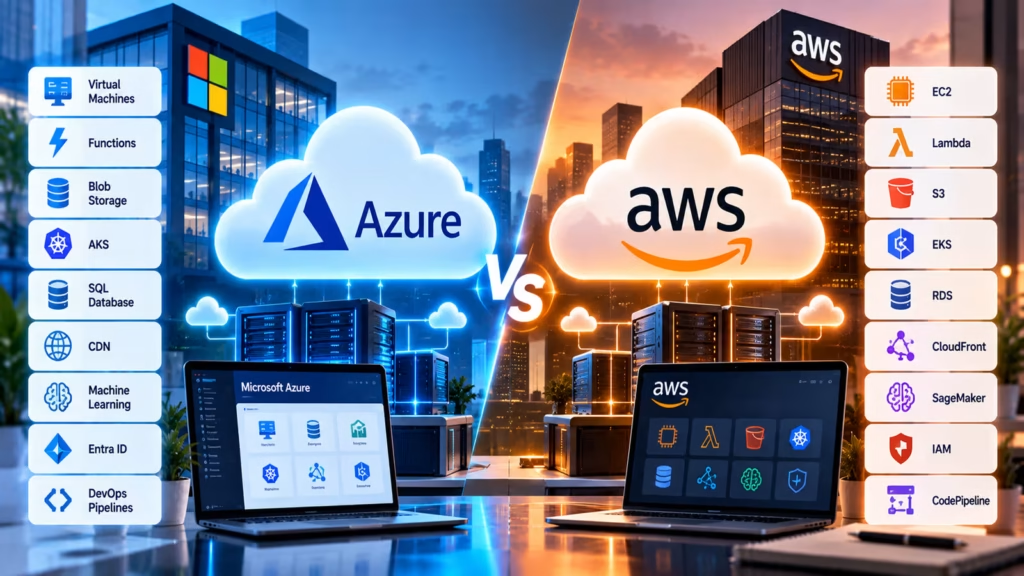
Both platforms offer equivalent services across most categories, but the naming conventions and implementation details differ. The table below maps the most commonly used services across both platforms:
| Service Category | AWS | Azure |
|---|---|---|
| Virtual Machines | EC2 (Elastic Compute Cloud) | Azure Virtual Machines |
| Serverless Functions | AWS Lambda | Azure Functions |
| Object Storage | S3 (Simple Storage Service) | Azure Blob Storage |
| Managed Kubernetes | EKS (Elastic Kubernetes Service) | AKS (Azure Kubernetes Service) |
| Managed SQL Database | RDS (Relational Database Service) | Azure SQL Database |
| CDN | CloudFront | Azure CDN |
| Machine Learning Platform | SageMaker | Azure Machine Learning |
| Identity Management | IAM (Identity and Access Management) | Microsoft Entra ID (formerly Azure AD) |
| CI/CD Pipelines | AWS CodePipeline | Azure DevOps Pipelines |
Compute: EC2 vs Azure Virtual Machines
AWS EC2 has the broadest selection of instance types — from general-purpose to compute-optimized, memory-optimized, storage-optimized, GPU-accelerated, and custom silicon (Graviton-based ARM instances). The granularity of EC2 options allows for precise matching of instance resources to workload requirements, which matters at scale where even small cost differences per instance multiply significantly.
Azure Virtual Machines offer a comparable range of sizes, with particularly strong options for SAP workloads, high-performance computing, and GPU-intensive tasks. For organizations running Windows Server workloads, Azure typically offers more cost-effective options through Azure Hybrid Benefit — which allows existing Windows Server and SQL Server licenses to be applied to cloud instances, reducing costs substantially compared to pay-as-you-go Windows licensing.
Enterprise Integration: Where Azure Has a Clear Advantage
For organizations deeply embedded in the Microsoft ecosystem, Azure integration advantages are difficult to overstate. Microsoft Entra ID integrates natively with Azure services, providing single sign-on, conditional access policies, and identity governance that extends seamlessly from on-premises Active Directory to cloud resources. Organizations already managing identities through Active Directory can extend that infrastructure to Azure without a full migration.
Microsoft 365 (formerly Office 365), Teams, Dynamics 365, and Power Platform all integrate directly with Azure services. A company building a business application that connects to Teams, reads data from SharePoint, and uses Azure SQL Database as its backend has a dramatically simpler integration story on Azure than on AWS. AWS offers integration points with Microsoft products, but they are third-party integrations rather than native ones.
AWS Developer Experience and Service Breadth
AWS has a larger developer community and a longer track record of developer-facing tooling. The AWS CLI, SDKs, and CloudFormation ecosystem are mature and well-documented. For teams building greenfield cloud-native applications without existing Microsoft dependencies, AWS is often the natural choice due to the depth of its developer community, the volume of available third-party tutorials, and the breadth of its service catalog.
AWS also leads in certain specialized categories. Amazon SageMaker is widely regarded as the more mature managed machine learning platform. AWS IoT services have a longer development history. AWS Lambda pioneered the serverless computing market and still has the widest ecosystem of serverless tooling and community resources.
For start-ups and cloud-native teams without legacy infrastructure, AWS has traditionally been the default choice. This is changing somewhat as Azure has improved its developer tooling and pricing competitiveness, but AWS still carries more brand recognition in developer communities.
Pricing: How AWS and Azure Compare in Practice
Both platforms use pay-as-you-go pricing with discount options for reserved capacity. AWS calls its reserved capacity options Reserved Instances and Savings Plans. Azure provides Reserved VM Instances along with Savings Plans designed for compute services. In both cases, committing to one or three years of usage produces discounts in the range of 30 to 72 percent depending on the commitment type and instance family.
Comparing list prices directly between platforms is rarely meaningful because the actual cost depends heavily on workload type, region, reserved capacity usage, support tier, data transfer volumes, and negotiated enterprise agreements. For Windows Server and SQL Server workloads specifically, Azure Hybrid Benefit frequently makes Azure more cost-effective than equivalent AWS workloads at scale. For Linux-based workloads and developer tooling, the pricing difference is much narrower.
Both platforms provide pricing calculators — the AWS Pricing Calculator and the Azure Pricing Calculator — that allow detailed estimation. Running a proof-of-concept workload on each platform is the most reliable way to estimate real costs for a specific use case.
Certifications: AWS vs Azure Learning Paths
Both AWS and Azure have well-structured certification programs that validate cloud knowledge at different levels. AWS certifications are broadly recognized as strong market signals for cloud engineering roles, with the AWS Certified Solutions Architect — Associate being among the most widely held technical certifications in IT. The AWS certification path includes Foundational, Associate, Professional, and Specialty levels across multiple tracks.
Azure certifications follow a similar structure. The AZ-900 (Azure Fundamentals) is the entry-level exam, suitable for anyone new to cloud. The AZ-104 (Azure Administrator) and AZ-204 (Azure Developer) are the core role-based intermediate certifications. For DevOps engineers, AZ-400 validates Azure DevOps and CI/CD pipeline knowledge specifically.
From a career perspective, AWS certifications currently command stronger recognition in job listings across North American and international markets. Azure certifications carry particular weight in roles where Microsoft stack experience is specifically valued — enterprise IT administration, .NET development, Microsoft 365 integration. Holding certifications from both platforms is increasingly common among cloud architects who work across organizations with mixed environments.
Which Platform Should You Choose?
Choose Azure when your organization runs Windows Server or SQL Server workloads that can benefit from Hybrid Benefit licensing, when you are already using Microsoft 365, Active Directory, or Dynamics 365, when your development team works primarily in .NET, or when your enterprise has an existing Microsoft commercial agreement. Azure’s integration story with the Microsoft ecosystem is a genuine and significant advantage in these scenarios.
Choose AWS when your team is building cloud-native applications without existing Microsoft dependencies, when you need the broadest possible service catalog, when your team already has AWS expertise, or when community resources and third-party tooling availability are primary considerations. For internet-facing consumer applications, media workloads, and greenfield start-up infrastructure, AWS remains the default choice for a large proportion of the market.
Multi-cloud strategies — using both platforms for different workloads — are common in large enterprises but introduce operational complexity that smaller organizations should approach carefully. Platform-specific skills, tooling, and support costs multiply across two ecosystems rather than one.
Start Your Data Analytics Career Today
Join WhaleCourseTechnologies for affordable training with hands-on projects and placement support.
Conclusion
The Azure vs AWS decision does not have a universal right answer because the two platforms serve overlapping but not identical audiences particularly well. AWS leads in breadth, community size, and market adoption among cloud-native builders. Azure leads in Microsoft ecosystem integration, enterprise identity management, and Windows and SQL Server workload economics. Both are capable of running virtually any modern workload.
The most practical decision framework is to start with what you have: if your organization runs primarily Microsoft technologies, Azure will deliver better integration and likely better total cost. If your team is building cloud-native applications from scratch with no existing Microsoft dependencies, AWS’s tooling maturity and community depth are difficult to beat. When neither applies clearly, comparing pricing for your specific workload type on both platforms — not list prices, but your actual usage pattern — provides the most reliable signal.
In This Article
Enroll in Our IT Courses
Master IT Program at whalecoursetechnologies
- Expert Mentorship from IT Professionals
- Job-Ready Skills with Live Projects
- Career Boost Add-on Modules
- 100% Placement & Interview Support
