
AWS Cloud Computing Tutorial for Beginners (Step-by-Step Guide)
If you are new to cloud technology, this AWS Cloud Computing Tutorial will help you learn in a clear and organized way, making each concept easy to understand without confusion. Cloud computing is now one of the most important technologies in today’s digital world. It enables businesses and individuals to store data, run applications, and manage systems over the internet. You do not need to depend on physical hardware, which makes everything faster, more flexible, and easier to manage.
In this guide, you will learn Cloud computing basics, explore important AWS services, and follow a clear learning path that is easy to understand. This AWS Cloud Computing Tutorial for Beginners Step by Step is designed for students, freshers, and professionals who want to build a strong foundation in cloud computing and start their journey with confidence.
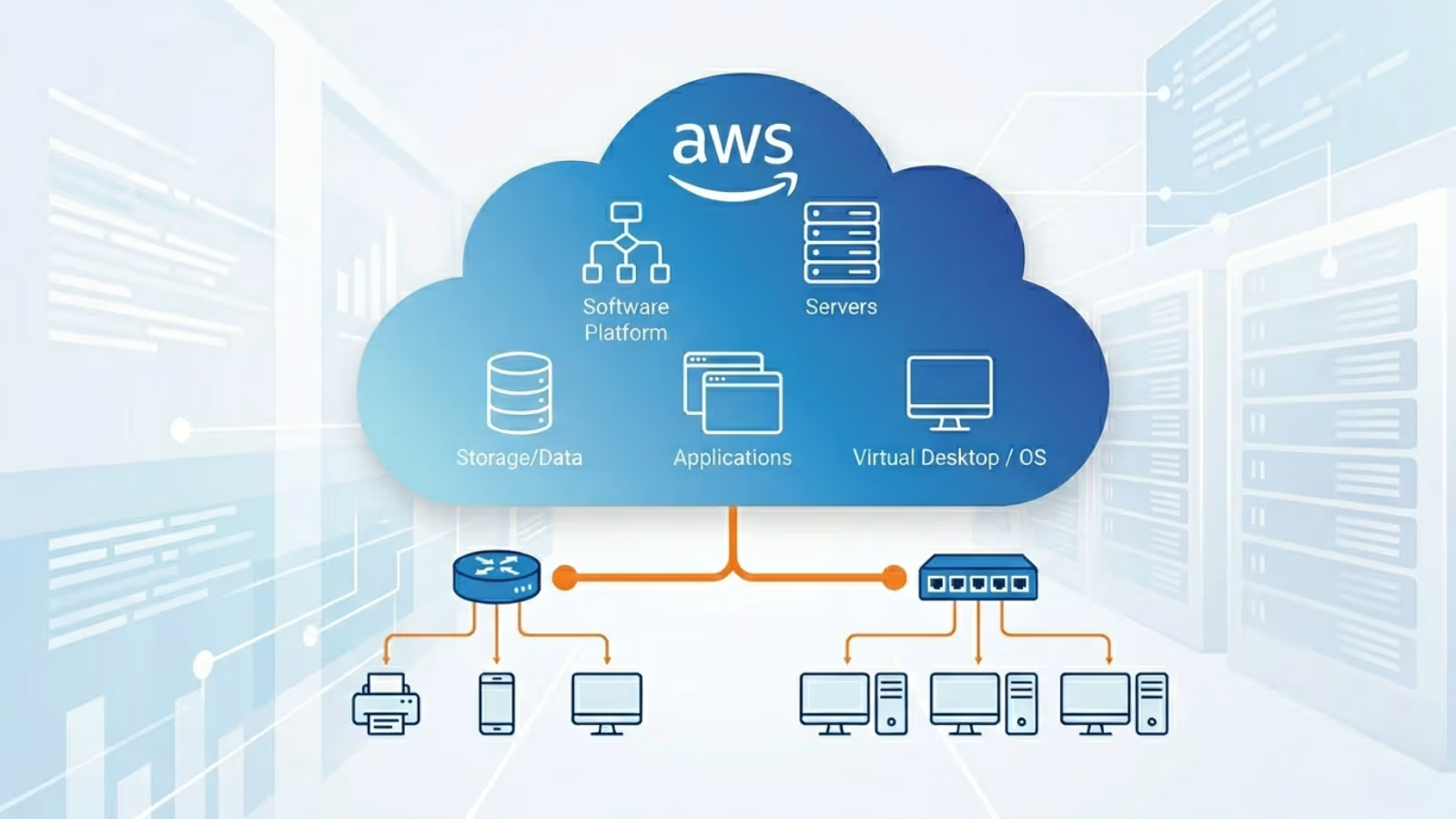
What is Cloud Computing?
Key Benefits of Cloud Computing
- It reduces the cost of buying and maintaining physical servers.
- It lets you scale resources up or down easily based on demand.
- It provides high performance and faster processing.
- It offers strong security and data backup options.
- It also allows access from anywhere using an internet connection.
- Understanding these Cloud infrastructure basics is very important because they form the foundation for learning AWS and other cloud platforms.
What is AWS (Amazon Web Services)?
Why Learn AWS?
Learning AWS can open many career opportunities. It cloud computing is in high demand across industries. It also helps you build real-world applications and manage them efficiently. High demand for AWS professionals in the job market. Used by leading companies worldwide. Flexible pricing with pay-as-you-go model. Easy integration with other technologies. If you want to Learn AWS Cloud Computing from Scratch for Beginners, AWS is one of the best platforms to start your journey.
AWS Services Explained (Beginner Level)
Before diving into practical steps, it is important to understand some basic services. This section explains AWS services explained in a simple and beginner-friendly way so you can easily understand how each service works.
1. Compute Services (EC2)
2. Storage Services (S3)
3. Database Services
4. Networking Services
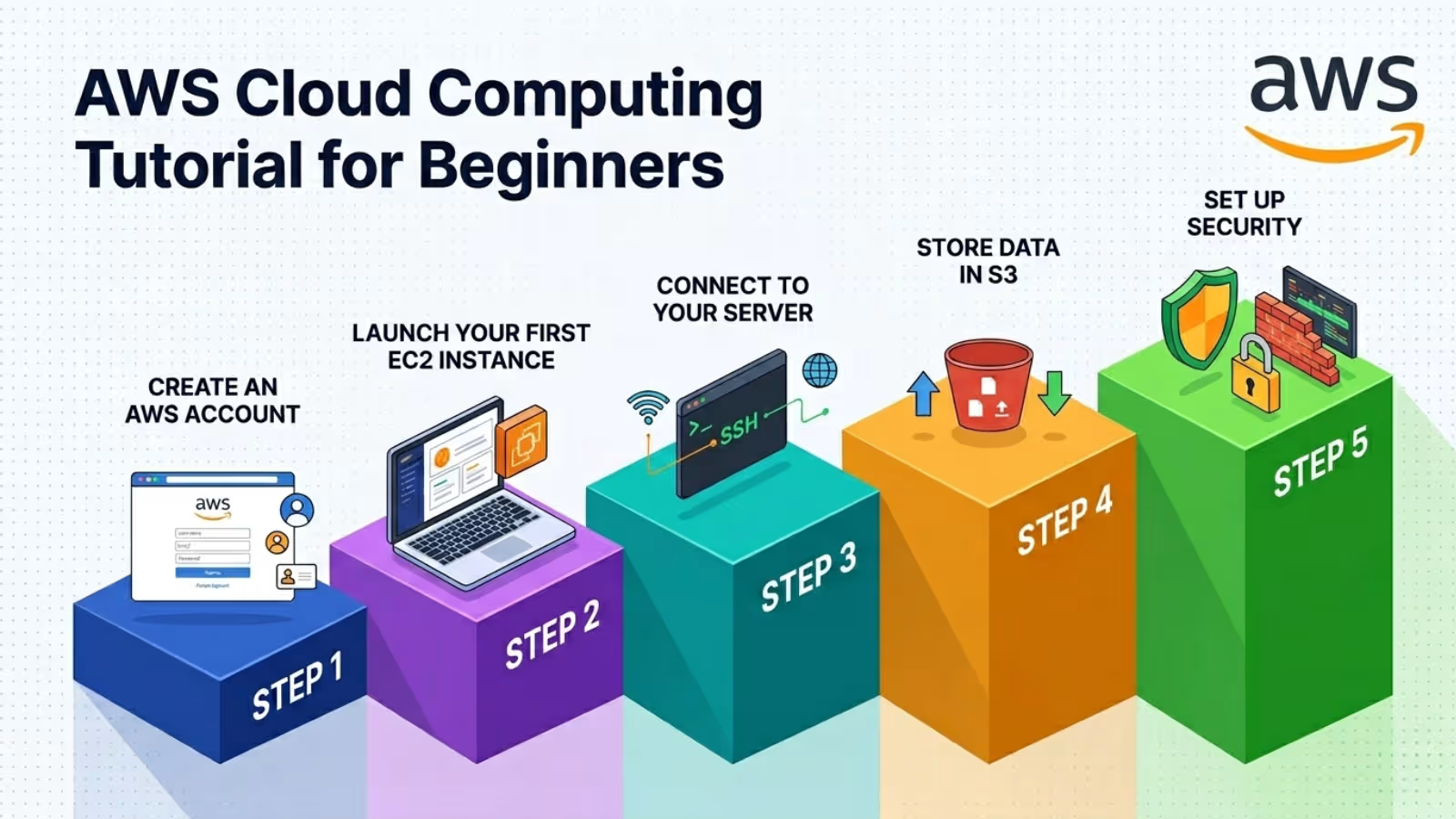
AWS Cloud Computing Tutorial for Beginners Step by Step
Step 1: Create an AWS Account
Step 2: Launch Your First EC2 Instance
After logging in, go to the EC2 dashboard and launch your first virtual server. This is one of the most important steps in learning AWS. Open EC2 Dashboard. Click on Launch Instance. Choose an operating system like Ubuntu. Select a free-tier instance type. Configure and launch the instance. This step gives you hands-on experience with cloud servers.
Step 3: Connect to Your Server
Once your EC2 instance is running, you can connect to it and start using it like a real computer. Use SSH for Linux-based systems. Use Remote Desktop for Windows systems. This allows you to control your server and run commands directly.
Step 4: Store Data in S3
Next, you can use S3 to store files and data securely in the cloud. Open S3 dashboard. Create a new bucket. Upload your files. This is a simple example from an Amazon Web Services Tutorial for Beginners with Examples that shows how storage works in AWS.
Step 5: Set Up Security
Security is a very important part of cloud computing. AWS provides tools to protect your resources and data. IAM helps manage user access. Security Groups control network traffic. Encryption protects sensitive data. Proper security setup ensures your cloud environment is safe and reliable.
Common AWS Use Cases
AWS is used across many industries for a wide range of tasks, which makes it a flexible and powerful platform. It helps in hosting websites and applications, managing mobile app backends, storing and backing up data, analyzing information, and creating machine learning models. These real-world uses make it easier to understand how different AWS services work together.
Tips for Beginners Learning AWS
Learning AWS can feel overwhelming at first, but following the right approach can make it easier and more effective. Start with free-tier services to avoid extra costs. Practice regularly with small projects. Focus on core services first. Learn basic Linux and networking concepts. Avoid launching unnecessary paid resources. If you want structured guidance and hands-on practice, training platforms like whalecourse Technologies can help you learn more effectively with expert support.
Advanced Topics to Learn Next
After completing this AWS Cloud Computing Tutorial, you can explore advanced topics to improve your skills further.
Auto Scaling
Automatically increases or decreases resources based on application demand, improving performance and cost efficiency.
Load Balancing
Distributes incoming traffic across multiple servers to ensure high availability and reliability.
Serverless Computing
AWS Lambda allows you to run code without managing servers, making development faster and simpler.
DevOps in AWS
Tools like CodePipeline and CodeDeploy help automate development and deployment processes.
Common Mistakes Beginners Should Avoid
Many beginners often make errors that can slow down their learning progress, but understanding these issues can help you prevent them effectively. Overlooking important security settings. Leaving unused instances running unnecessarily. Attempting to learn too many services at the same time. Not referring to proper documentation when needed. Avoiding these mistakes will help make your learning experience more smooth and efficient.
Career Opportunities in AWS
AWS skills are in high demand, and learning them can lead to many exciting career opportunities in the IT industry. Cloud Engineer. DevOps Engineer. AWS Solutions Architect. System Administrator. With continuous learning and practice, you can build a strong career in cloud computing. Institutes like whalecourse Technologies also provide practical training that helps beginners gain real-world experience and become job-ready.
Conclusion
This AWS Cloud Computing Tutorial has provided a complete beginner-friendly guide to understanding cloud computing and AWS services. From learning Cloud computing basics to working with EC2 and S3, you now have a clear understanding of how AWS works in real-world scenarios.
By following this Learn AWS Cloud Computing from Scratch for Beginners approach, you can build your knowledge step by step and gain confidence in using cloud technologies. Keep practicing, explore new services, and work on real projects to improve your skills.
Cloud computing is growing rapidly, and AWS is one of the leading platforms in this field. Start your journey today, stay consistent in your learning, and you will achieve great success in your cloud computing career.
Start Your Data Analytics Career Today
Join WhaleCourseTechnologies for affordable training with hands-on projects and placement support.
In This Article
Enroll in Our IT Courses
Master IT Program at whalecoursetechnologies
- Expert Mentorship from IT Professionals
- Job-Ready Skills with Live Projects
- Career Boost Add-on Modules
- 100% Placement & Interview Support
